Audio Config28.0
Publisher Description
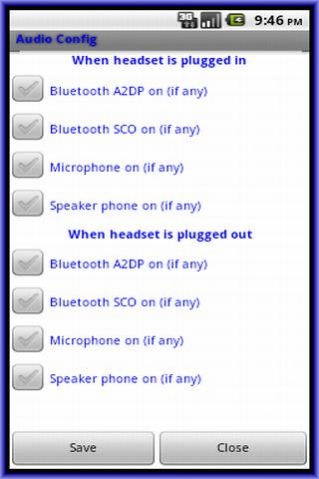
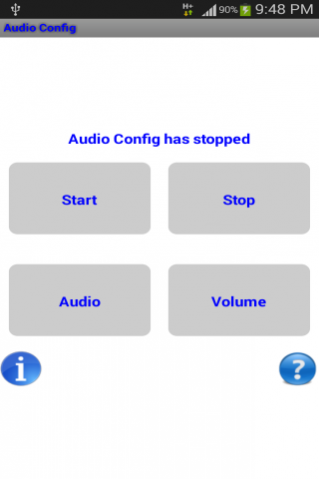
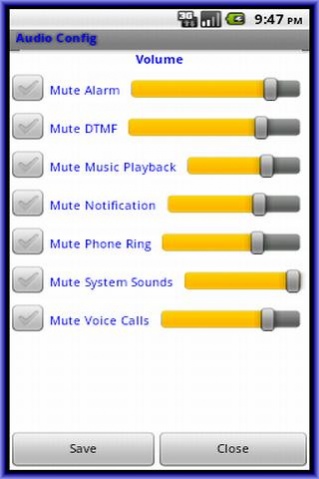
This app help to centralize all audio settings related like various streams volume control, mute-ness and default action to take when headset plug in or plug out in one place. Although most other apps already have something similar, the option to control some of the features are spread around where you need to hunt around for the correct settings to change.
Below two settings are independent of each other.
- Tap Audio to set what action to do whenever headset is plug in or out and then tap Start/Stop the service.
- Tap Volume to set the various streams volume control and mute-ness.
Important points to note:
- Since audio settings require interfacing to the audio hardware, I have used what Android SDK provided but for certain Android-based smart-phones hardware manufacturers, they may not perform what is defined in the SDK.
- Spend the 15 minutes trial to see if your own Android-based smart-phone hardware can do what this app advertises.
The application support English, Simplified Chinese, Traditional Chinese display.
About Audio Config
The company that develops Audio Config is sgh. The latest version released by its developer is 28.0.
To install Audio Config on your Android device, just click the green Continue To App button above to start the installation process. The app is listed on our website since 2017-11-01 and was downloaded 5 times. We have already checked if the download link is safe, however for your own protection we recommend that you scan the downloaded app with your antivirus. Your antivirus may detect the Audio Config as malware as malware if the download link to com.appspot.sohguanh.AudioConfig is broken.
How to install Audio Config on your Android device:
- Click on the Continue To App button on our website. This will redirect you to Google Play.
- Once the Audio Config is shown in the Google Play listing of your Android device, you can start its download and installation. Tap on the Install button located below the search bar and to the right of the app icon.
- A pop-up window with the permissions required by Audio Config will be shown. Click on Accept to continue the process.
- Audio Config will be downloaded onto your device, displaying a progress. Once the download completes, the installation will start and you'll get a notification after the installation is finished.
Program Details
System requirements
Download information
Pricing
Version History
version 28.0
posted on 2017-11-01
Add Apps feature
version 20.0
posted on 2016-11-10
Add Indonesian language translation
version 19.0
posted on 2016-10-02
Fix bugs
